🐶 Found a pet alone? One tap can help them get back to their family 🏠
How It Works
Register Your Pet Today
1. Create your pet’s profile
Register your pet online and provide the information you want to share. The details you submit are used to help someone contact you if your pet is found.
After you receive the tag, clip the NFC tag to your pet’s collar. The tag is already set up by our team and ready to use. It always stays the same, even if your profile information changes.
If your pet is found
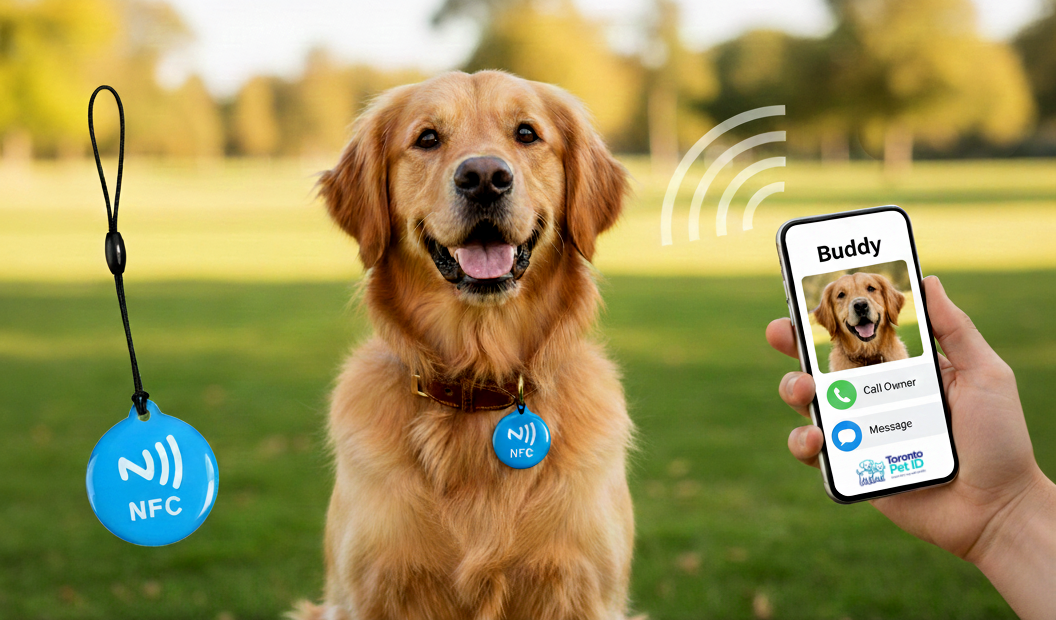
A kind person taps the tag with their smartphone. No app needed. The pet’s profile opens instantly.
Contact the owner
When someone finds your pet, they can call the owner, send a message, or share the pet’s location, all instantly through the NFC tag. Watch the video to see exactly where to tap on Apple, Samsung, and Google phones.
Update anytime
If your phone number changes or you move, simply fill out the online registration form again. Our team will update your pet’s profile, and the same NFC tag keeps working, no need to buy a new one.
Already registered your pet and created a profile? If your tag is lost, damaged, or you want an extra tag in a different color, you can order a replacement anytime. The new NFC tag will connect to your existing pet profile, so there is no need to pay for the profile again. Just attach the tag to your pet’s collar and it’s ready to use.